Four ways to start
Press New project on the home page. Groundwork asks one question: “Where did the request come from?”
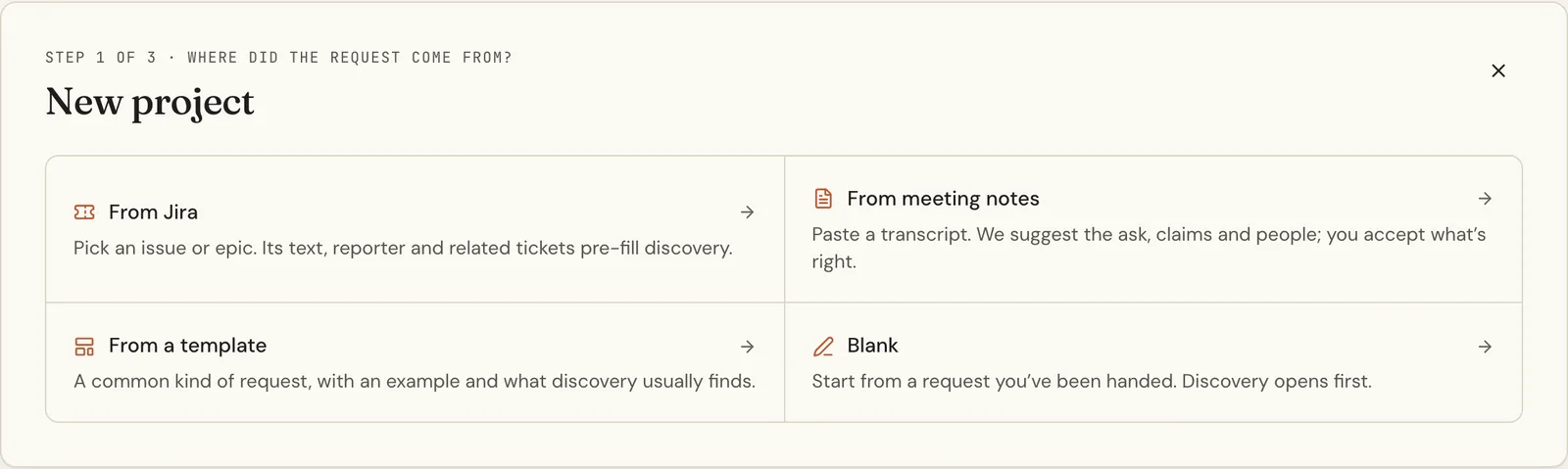
- From Jira: the request is a ticket.
- From meeting notes: the request was said out loud in a meeting.
- From a template: a common kind of request, with an example.
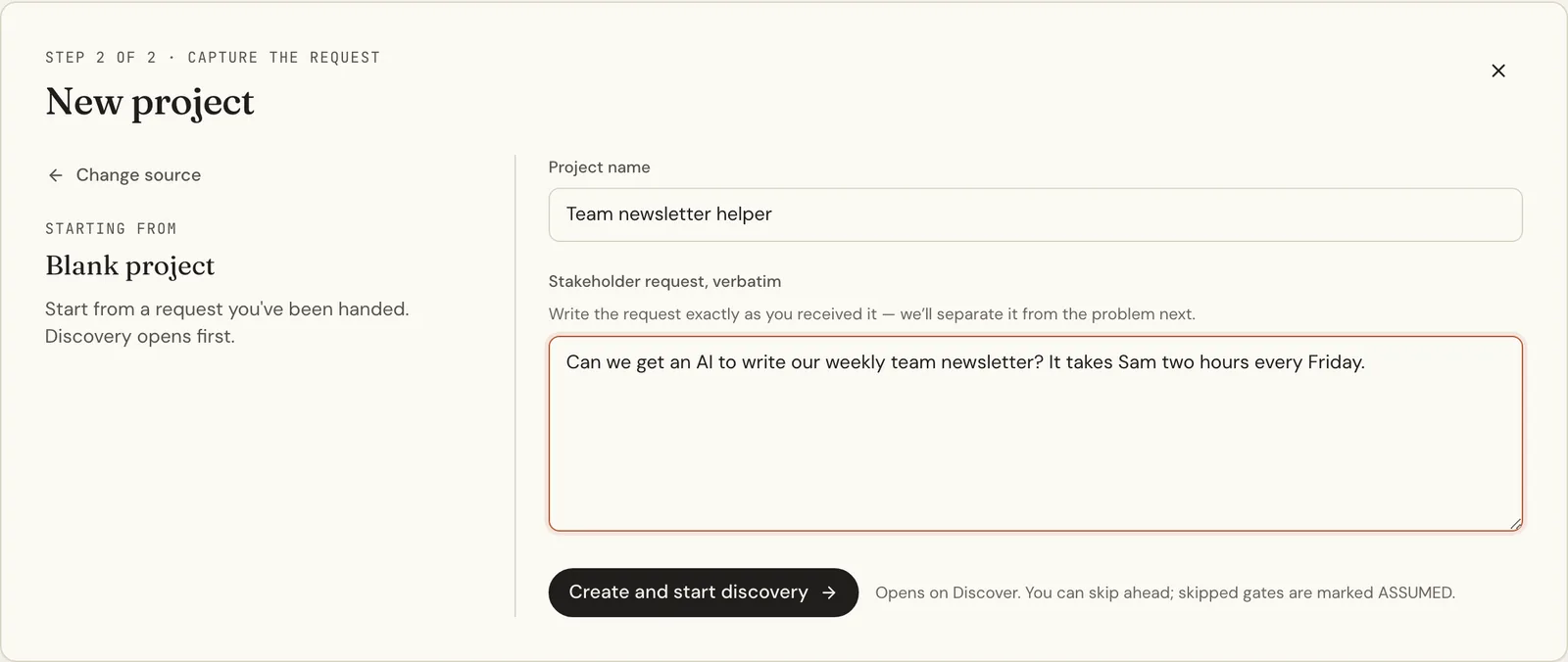
- Blank: you write the request in yourself.
From Jira
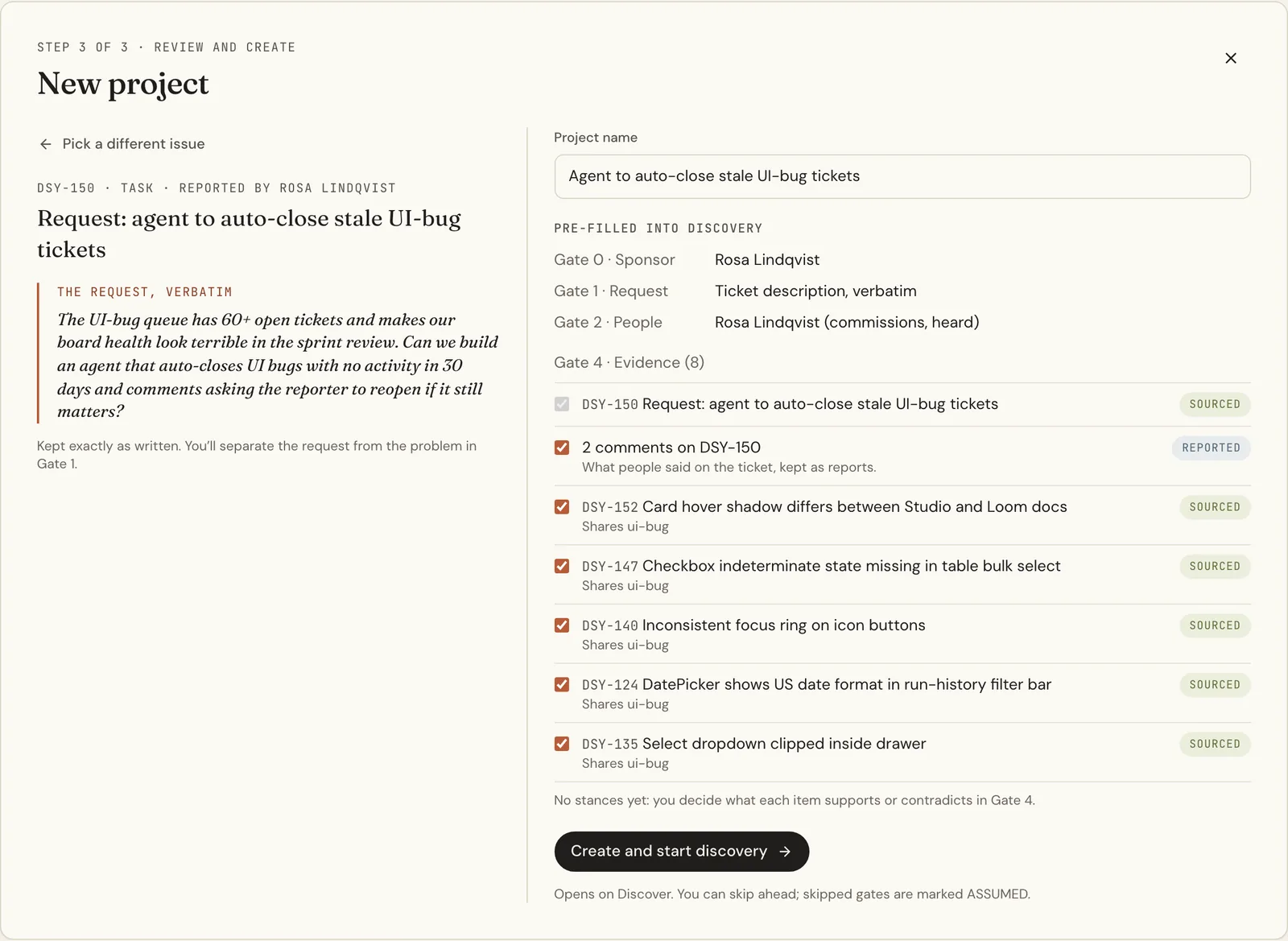
Pick a ticket. Groundwork copies its words exactly, and brings its comments and related tickets along as evidence.
Why it mattersThe ticket is the request in its own words. Keeping it exact stops anyone quietly changing what was asked.
How to do it
- Step 1: Press New project, then From Jira.
- Step 2: Type in the search box. Try “auto-close”.
- Step 3: Press a ticket in the results, such as DSY-150.
- Step 4: Check what will be filled in for you. Untick any evidence you don’t want.
- Step 5: Give the project a name, then press Create and start discovery.
Demo onlyThe Jira here is pretend. It only contains made-up tickets.
From meeting notes
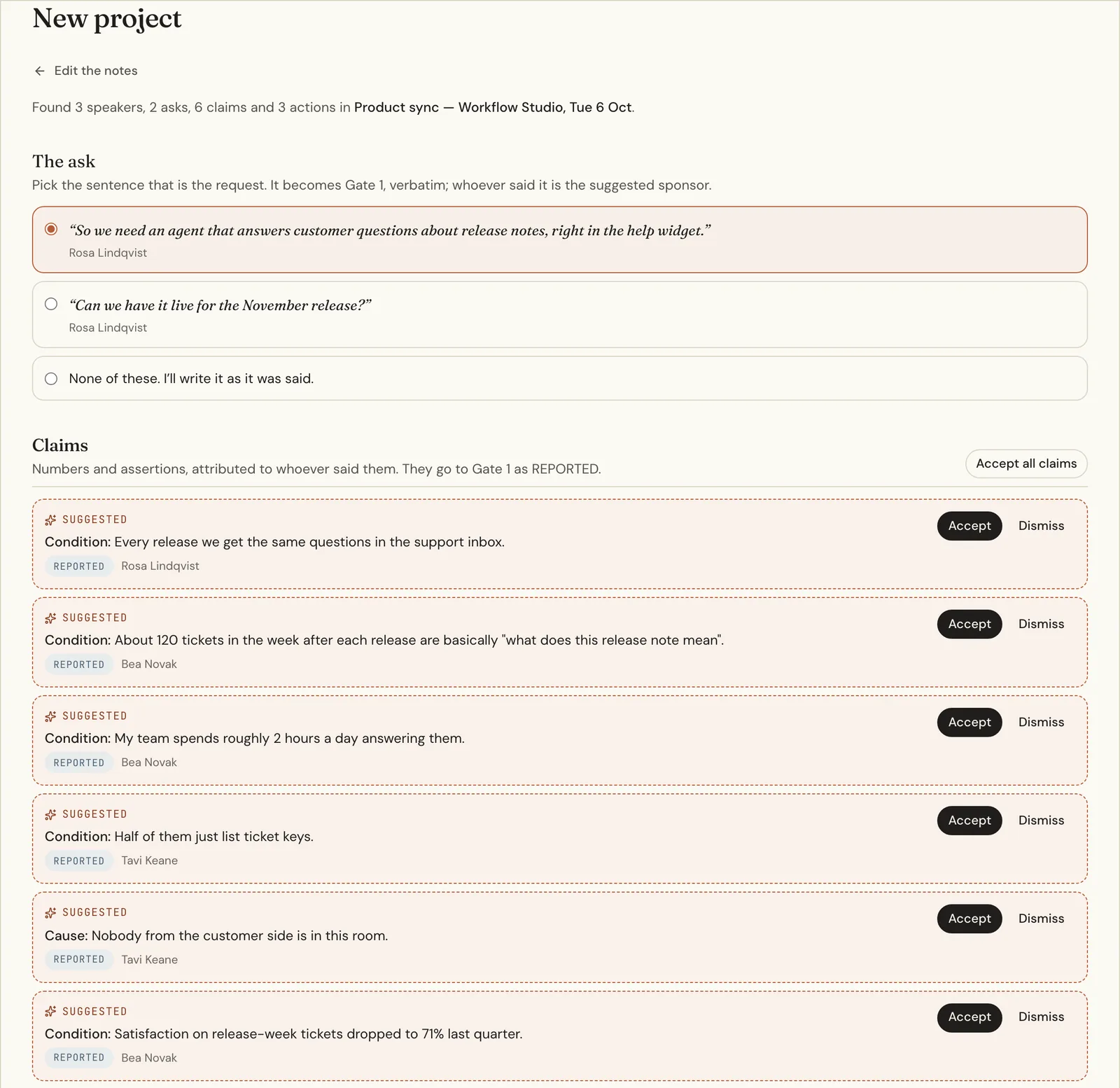
Paste notes from a meeting. Groundwork reads them and suggests the request, the claims people made, who was there, and the actions agreed.
Why it mattersA meeting is a source, not a plan. You accept it line by line.
How to do it
- Step 1: Press New project, then From meeting notes.
- Step 2: Paste your notes. Or, under “No notes to hand? Use a synthetic sample”, pick a sample.
- Step 3: Press Read the notes.
- Step 4: Under The ask, pick the sentence that is the real request.
- Step 5: For each suggestion, press Accept or Dismiss. Or use Accept all claims, Accept all people or Accept all actions.
- Step 6: Check the project name, then press Create and start discovery.
From a template, or blank
A template gives you a common kind of request with an example and a hint. Blank lets you type the request yourself.
How to do it
- Step 1: Press New project, then From a template or Blank.
- Step 2: If you chose a template, pick one. Read its Watch for hint.
- Step 3: Fill in Project name.
- Step 4: Under Stakeholder request, verbatim, paste the request exactly as you got it. With a template, you can press Use example request.
- Step 5: Press Create and start discovery.
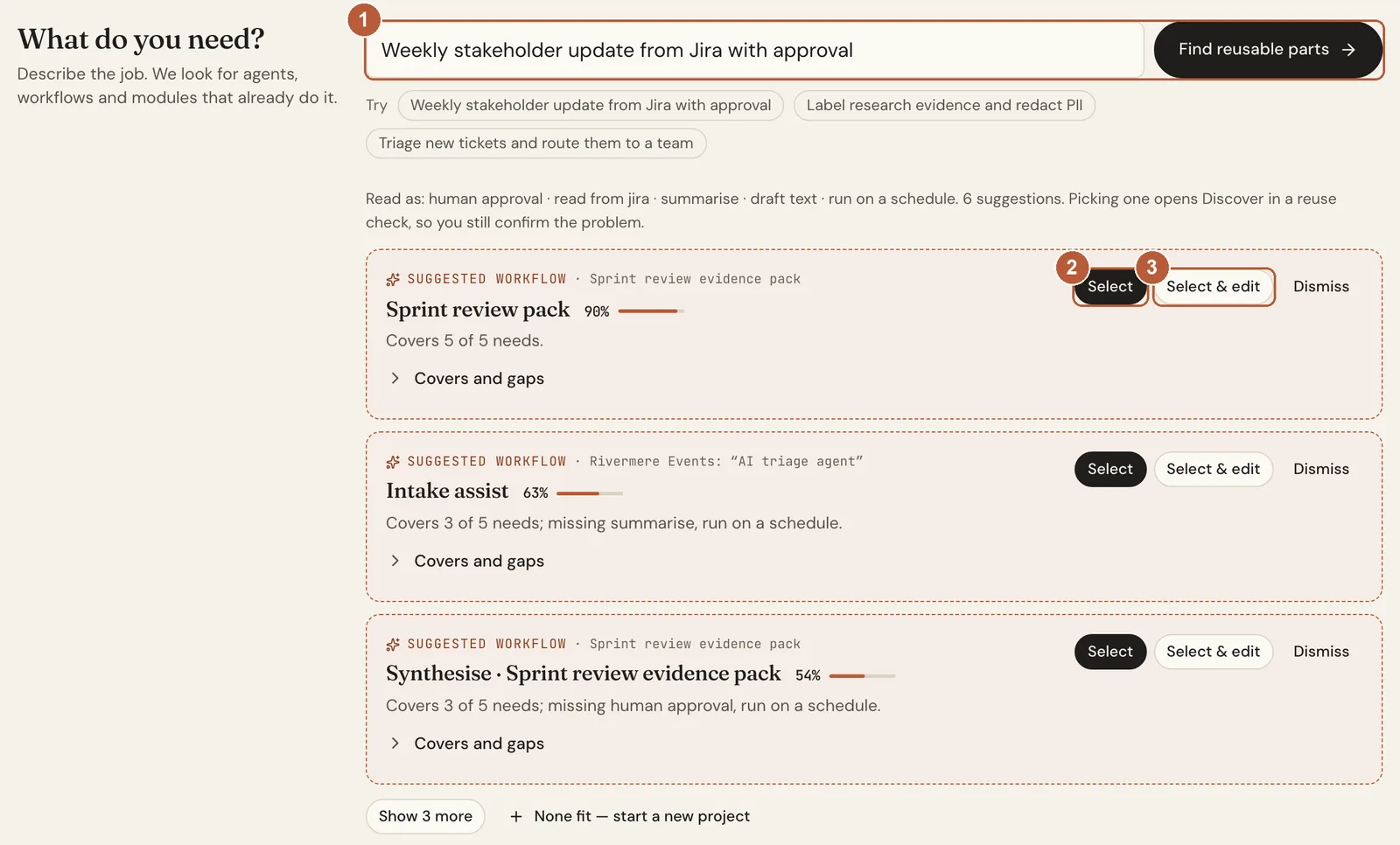
“What do you need?” (reuse search)
Describe a job in plain words. Groundwork looks for agents, workflows and modules that already do it, and shows how well each one fits.
Why it mattersReusing a tested part is quicker and safer than starting again.
How to do it
- Step 1: On the home page, type the job into What do you need?. Or press one of the Try examples.
- Step 2: Press Find reusable parts.
- Step 3: Read the suggestions. The percentage shows how much of the job each one covers. Open Covers and gaps to see what’s missing.
- Step 4: Press Select to open it and look. Or press Select & edit to make your own copy.
- Step 5: Nothing fits? Press None fit — start a new project.